

Keep the details
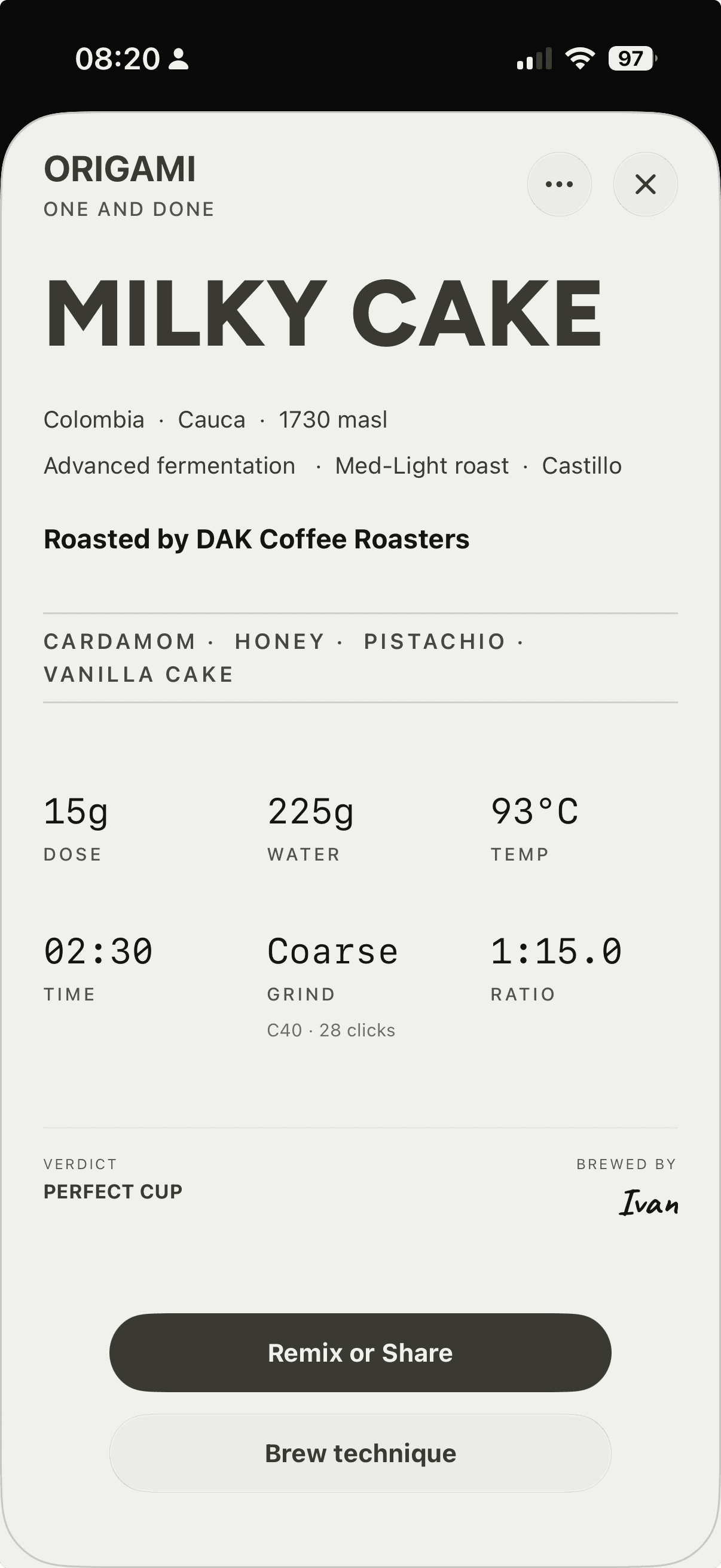
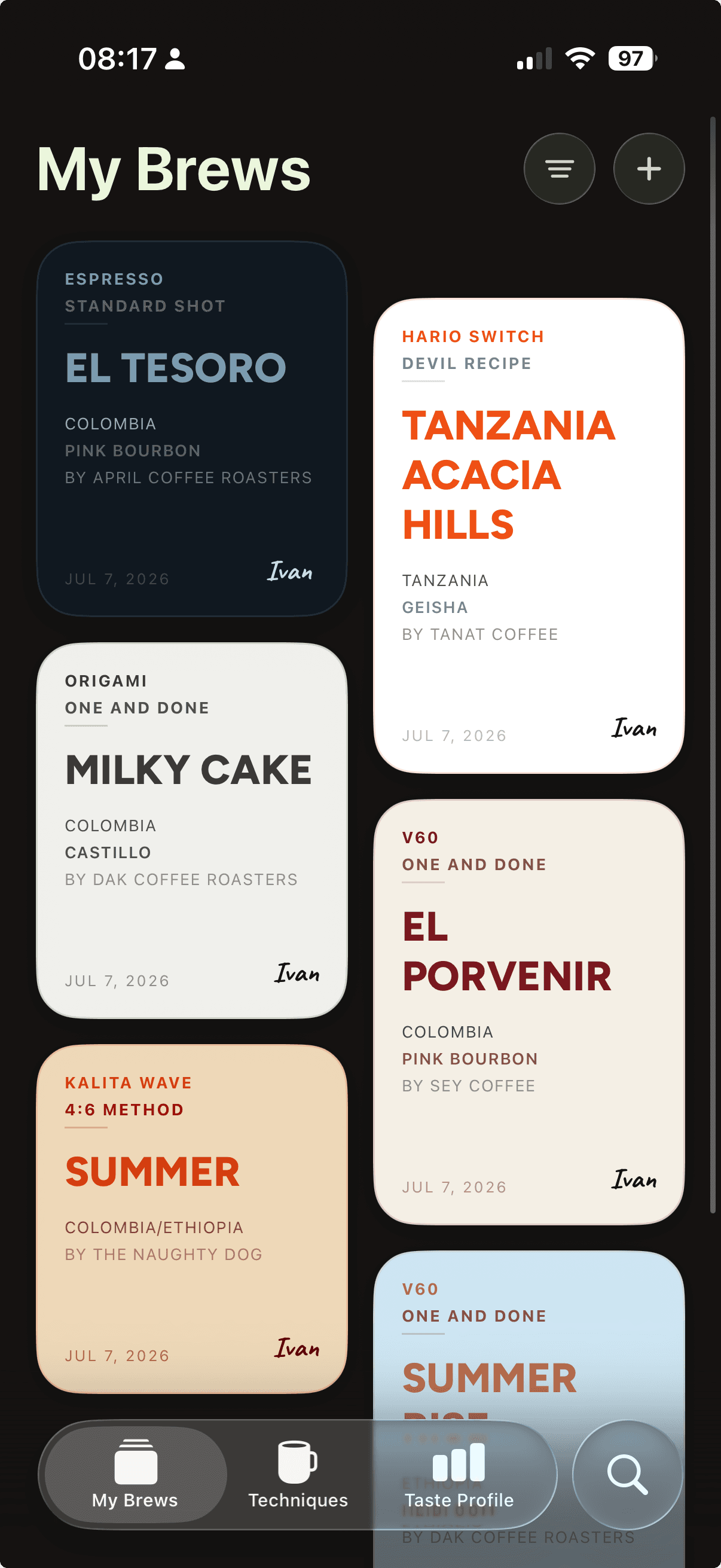
Save dose, water, grind, temperature, and tasting notes in your personal recipe library.
Coffee recipes & brew timers for iPhone
Save your coffee recipes, follow step-by-step brew timers, and share the details—from dose and grind to tasting notes.
Save dose, water, grind, temperature, and tasting notes in your personal recipe library.
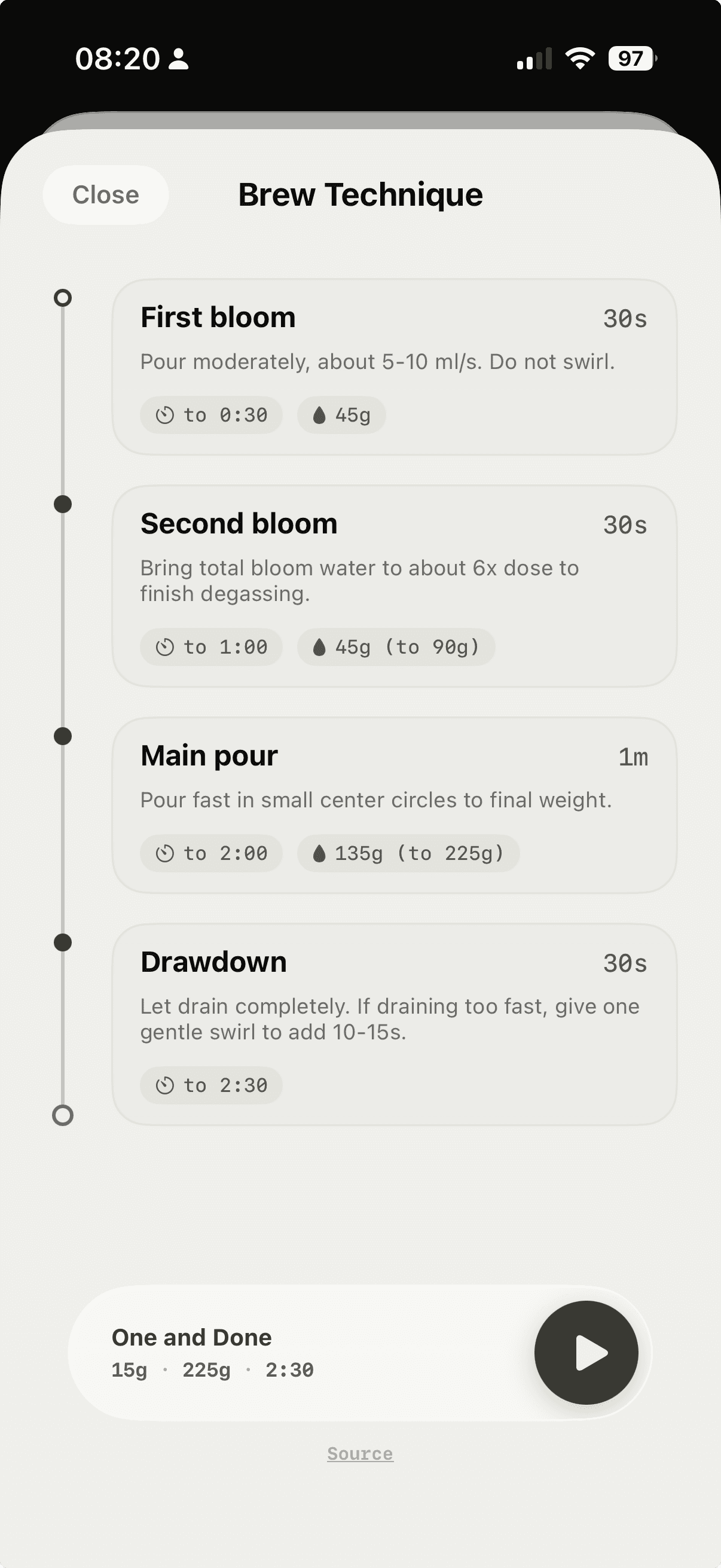
See pour amounts, timing, and notes as you follow a recipe’s step-by-step brew timer.
Send a BrewCard by link or QR code, or share it on social.
Your dose, grind, brew steps, and tasting notes—together in one shareable card.
V60, AeroPress, espresso, French press, and more, including custom methods.
Get BrewCard for iPhone.